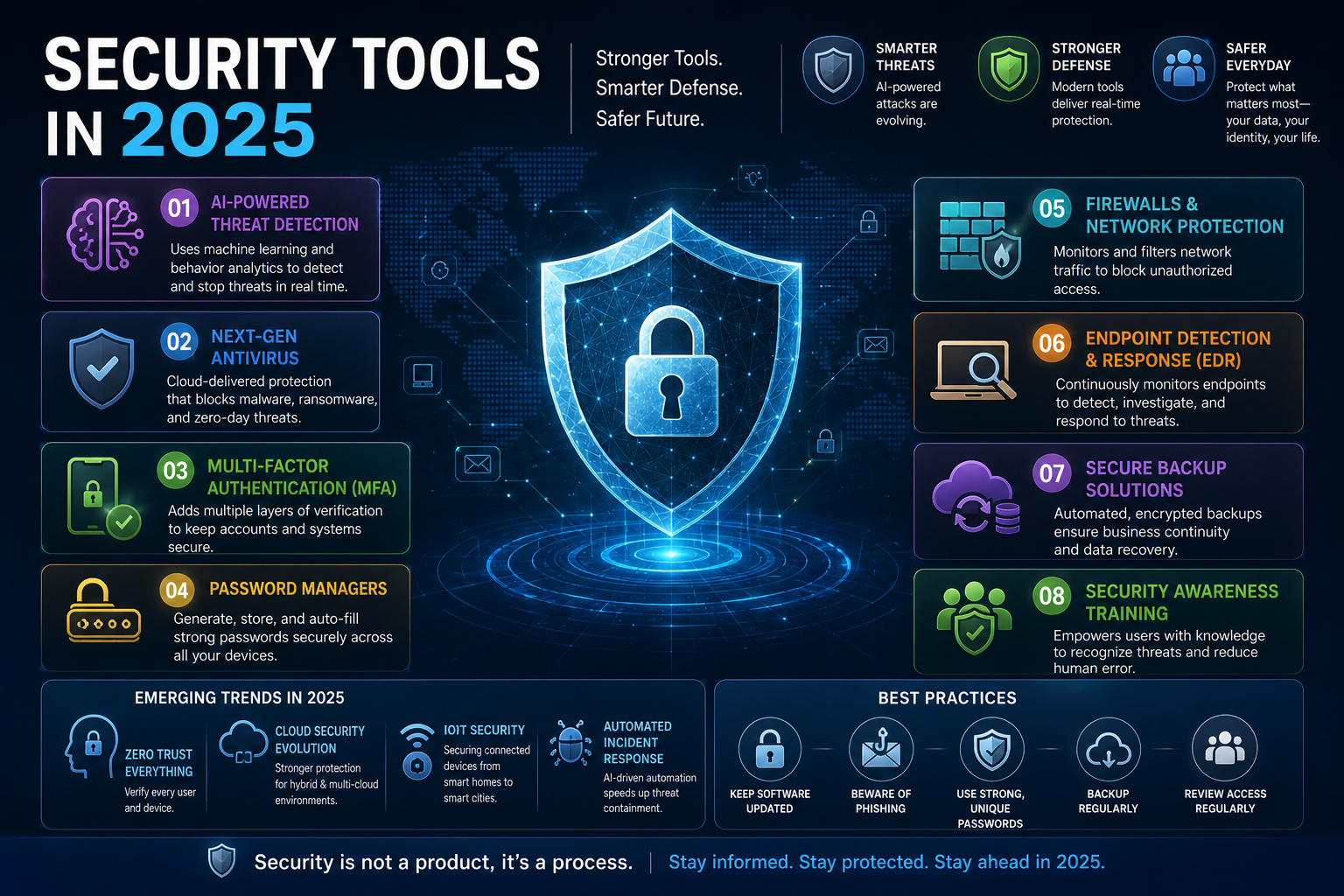
Security Tools in 2025: The Professional’s Guide to Building a Defensible Stack
Every organisation has security tools. Very few have a security stack that actually works together. The gap between the two is where breaches happen — not because teams lack investment, but because they accumulate point solutions without a coherent detection, prevention, and response architecture underneath them.
This guide is for security professionals and engineers who already know what a firewall is. It covers how to evaluate, layer, and operationalise security tooling across identity, endpoint, network, cloud, and application domains — with the trade-offs, blind spots, and integration realities that vendor datasheets omit.
Why Most Security Stacks Fail Before an Attacker Arrives
The average enterprise runs 45 to 75 security tools according to IBM’s 2024 Cost of a Data Breach Report. Alert fatigue, integration gaps, and siloed telemetry mean that most organisations are simultaneously over-tooled and under-defended. The problem is architectural, not budgetary.
Three structural failures drive most security stack dysfunction.
Tools Without Telemetry Integration Are Just Expensive Logs
A SIEM that ingests logs from five sources but not the other twenty-three tools in the stack provides false confidence. Detection quality is a function of telemetry completeness — not the sophistication of individual tools. Before adding another tool to your stack, the better question is whether your existing tools are feeding their signals into a centralised detection layer and whether those signals are normalised enough to correlate across sources.
Detection Without Response Capability Is Incomplete
Identifying an attacker in your environment has no security value unless you can act on that detection within a timeframe that limits impact. Many organisations invest heavily in detection tooling (EDR, NDR, SIEM) while under-investing in response automation (SOAR, playbooks, runbooks) and response capability (SOC staffing, IR retainers). A 2024 Verizon DBIR report found that the median time to detect a breach was 194 days — largely because detection capabilities existed but response loops were broken or too slow to close.
The Attack Surface Grows Faster Than the Tool Count
Cloud-native infrastructure, SaaS sprawl, remote work, and third-party integrations continuously expand the attack surface. Security tooling that was designed for a perimeter-centric network model struggles to provide coverage for identities authenticating from personal devices into SaaS applications that bypass your network entirely. Modern security architecture requires rethinking coverage in terms of identities, data flows, and workloads — not just endpoints and network segments.
Identity and Access Security: The New Perimeter
Identity is the most targeted attack vector in 2025. Credential-based attacks — phishing, credential stuffing, MFA fatigue, and adversary-in-the-middle (AiTM) phishing — account for the majority of initial access techniques in enterprise breaches. The tools in this domain are not optional.
Identity Providers and SSO: The Foundation Layer
A centralised Identity Provider (IdP) — Okta, Microsoft Entra ID (formerly Azure AD), Ping Identity, or JumpCloud — is the control plane for all identity-based security decisions. SSO (Single Sign-On) reduces credential sprawl and provides a single enforcement point for authentication policies, MFA requirements, and conditional access rules.
The security value of an IdP is only realised when application coverage is complete. A partial SSO deployment where critical SaaS applications still use local credentials is worse than no SSO — it creates a false sense of coverage while leaving high-value targets unprotected. Application discovery and shadow IT identification should precede or accompany any IdP rollout.
MFA Is Necessary but Not Sufficient
TOTP-based MFA (Google Authenticator, Authy) is significantly better than no MFA, but is phishable. AiTM proxy attacks — using tools like Evilginx2 — intercept session tokens in real time, bypassing TOTP codes entirely. Phishing-resistant MFA using FIDO2/WebAuthn hardware security keys (YubiKey, Google Titan) or passkeys is the current gold standard for high-value accounts and privileged access.
For organisations that cannot immediately deploy phishing-resistant MFA universally, risk-based authentication — where the IdP evaluates signals like device health, location, IP reputation, and login velocity before challenging or blocking — provides meaningful uplift over static MFA policies.
Privileged Access Management: Eliminating Standing Privileges
Standing privileged access — permanent admin accounts with elevated permissions — is one of the highest-risk configurations in any environment. PAM (Privileged Access Management) tools like CyberArk, BeyondTrust, HashiCorp Boundary, and AWS IAM Identity Center with permission sets enforce just-in-time (JIT) access: privileges are granted on request, for a defined duration, with full session recording, and automatically revoked on expiry.
The architectural principle is zero standing privilege (ZSP): no human should have persistent admin access to production systems. Every privileged action should require explicit request, approval (or automated policy evaluation), and time-bound grant. This dramatically reduces the blast radius of compromised credentials and insider threats.
Endpoint Security: Beyond Antivirus
The endpoint remains one of the most common initial access targets — through phishing, malicious downloads, USB attacks, and vulnerability exploitation. Modern endpoint security has moved well beyond signature-based antivirus.
EDR: Behavioural Detection at the Host Level
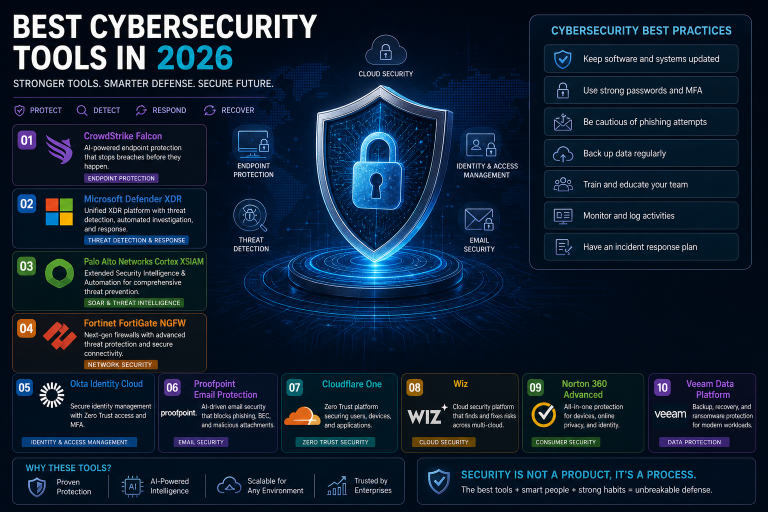
Endpoint Detection and Response (EDR) tools — CrowdStrike Falcon, SentinelOne Singularity, Microsoft Defender for Endpoint, Palo Alto Cortex XDR — provide continuous behavioural monitoring of endpoint activity: process creation chains, file system modifications, registry changes, network connections, and memory injection patterns.
EDR detects threats that evade signature-based detection by identifying anomalous behaviour rather than known malware hashes. A fileless attack that runs entirely in memory and never touches the disk will be invisible to traditional AV but detectable by an EDR monitoring process hollowing, LSASS access, or unusual PowerShell execution chains.
The operational requirement is tuning. Out-of-the-box EDR policies generate significant false positives in most environments. A deployment without dedicated tuning effort — building exclusions for legitimate tooling, establishing baselines for normal behaviour, and configuring response policies — produces the alert fatigue that causes real detections to be ignored.
Vulnerability Management: Knowing What You’re Defending
You cannot protect what you cannot see. A vulnerability management programme built on tools like Tenable Nessus, Qualys VMDR, Rapid7 InsightVM, or Wiz (for cloud assets) provides continuous asset discovery and vulnerability assessment across your environment.
The discipline is prioritisation, not enumeration. Scanning your environment and generating a list of 50,000 vulnerabilities is useless without a risk-based prioritisation model that accounts for exploitability (CVSS score alone is insufficient — EPSS, the Exploit Prediction Scoring System, provides better signal on what is actually being exploited in the wild), asset criticality, and network exposure. Remediating a critical CVE on an internet-exposed, business-critical server is categorically more important than remediating the same CVE on an isolated development workstation.
Application Allowlisting and Device Posture
Application allowlisting — permitting only pre-approved software to execute — is one of the most effective controls against malware and ransomware, and one of the least commonly implemented due to operational overhead. Tools like Airlock Digital, Carbon Black App Control, and Windows Defender Application Control (WDAC) enforce execution policies at the kernel level.
Device posture assessment, integrated with your IdP’s conditional access policies, ensures that only managed, compliant devices can access sensitive applications. A device that is not encrypted, lacks EDR coverage, or is running an outdated OS version should be blocked or challenged — regardless of whether the user’s identity credentials are valid.
Network Security: Rethinking the Perimeter
Traditional network security tools — firewalls, IDS/IPS, network segmentation — remain relevant but are insufficient for environments where significant traffic flows outside the corporate network entirely. The network security model has shifted toward visibility, segmentation, and encrypted traffic inspection.
Next-Generation Firewalls: Application-Aware Enforcement
Next-generation firewalls (NGFW) — Palo Alto Networks, Fortinet FortiGate, Check Point, Cisco Firepower — go beyond port and protocol filtering to provide application-layer visibility, SSL/TLS inspection, threat prevention (IPS, anti-malware, DNS security), and user-identity-based policy enforcement.
The critical capability is TLS inspection. The majority of internet traffic — and an increasing proportion of malware command-and-control traffic — is TLS-encrypted. A firewall that cannot inspect encrypted traffic is effectively blind to a large portion of the threat landscape. TLS inspection introduces performance overhead and certificate management complexity, but is operationally necessary for any environment with serious security requirements.
Network Detection and Response: Lateral Movement Visibility
EDR covers endpoints. NDR (Network Detection and Response) — Darktrace, ExtraHop Reveal(x), Corelight, Vectra AI — covers network traffic. NDR analyses raw packets, NetFlow, and metadata to detect lateral movement, data exfiltration, command-and-control beaconing, and protocol anomalies that endpoint tools cannot see because they only have visibility into their own host.
The complementary relationship between EDR and NDR is a core tenet of modern detection architecture. An attacker who compromises one endpoint and moves laterally to another via remote management protocols — RDP, WMI, SMB — may appear on the source EDR as legitimate admin activity. The NDR sees the full network context: the source, destination, timing, and volume patterns that reveal lateral movement for what it is.
ZTNA: Replacing VPNs for Remote Access
VPNs grant network-level access — once connected, users can reach any resource on the network segment they’re tunnelled into. Zero Trust Network Access (ZTNA) tools — Zscaler Private Access, Cloudflare Access, Palo Alto Prisma Access, Netskope Private Access — grant application-level access only. Users authenticate to specific applications based on identity, device posture, and contextual signals, never gaining broad network access.
The security advantage is significant: a compromised device on a VPN can be used to pivot across the network. A compromised device on ZTNA can access only the specific applications that were explicitly authorised — and even then, only if the device still meets posture requirements at the time of connection.
Cloud Security Tools: Native vs. Third-Party
Cloud environments require purpose-built security tooling. Many on-premises security tools have limited or no visibility into cloud control planes, serverless functions, container workloads, or cloud-native identities. The choice between cloud-native security services and third-party tools involves meaningful trade-offs.
CSPM: Finding Misconfiguration Before Attackers Do
Cloud Security Posture Management (CSPM) tools — Wiz, Prisma Cloud (Palo Alto), Orca Security, AWS Security Hub with Config Rules, Microsoft Defender for Cloud — continuously assess cloud resources against security best practices and compliance frameworks.
Misconfiguration is the most common root cause of cloud security incidents. Publicly exposed S3 buckets, permissive security groups, unencrypted data stores, and IAM roles with wildcard permissions are all detectable with CSPM tooling before they are exploited. The differentiator between CSPM tools is contextualisation: a tool that can correlate a publicly exposed storage bucket containing sensitive data with a reachable compute instance with excessive IAM permissions — showing the full attack path — is categorically more valuable than one that surfaces individual misconfigurations in isolation.
CWPP: Runtime Security for Cloud Workloads
Cloud Workload Protection Platforms (CWPP) extend endpoint-style protection to cloud workloads — virtual machines, containers, and serverless functions. Runtime protection for containers using tools like Falco (open source), Aqua Security, Sysdig Secure, or Prisma Cloud Compute detects anomalous process execution, unexpected network connections, and file system modifications inside running containers.
A container that starts a shell process, makes an outbound connection to an unexpected IP, or modifies sensitive file paths is exhibiting indicators of compromise even if the underlying image was clean at scan time. Runtime protection catches post-exploitation activity that image scanning alone cannot.
SIEM and SOAR: The Detection and Response Engine
A Security Information and Event Management (SIEM) system — Splunk, Microsoft Sentinel, Google Chronicle, Elastic Security, Sumo Logic — ingests, normalises, and correlates telemetry from across your environment to detect threats. Detection quality depends entirely on the quality and completeness of the log sources feeding it and the detection rules or ML models running against those logs.
SOAR (Security Orchestration, Automation, and Response) — Palo Alto XSOAR, Splunk SOAR, Tines, Torq — automates response actions triggered by SIEM alerts or other detection signals. A phishing alert that triggers automatic user account suspension, email quarantine, and endpoint isolation — without human intervention — reduces mean time to contain (MTTC) from hours to seconds for high-confidence detections.
The integration between SIEM and SOAR is the most critical architectural decision in your detection and response stack. The SIEM provides the detection signal; the SOAR executes the response. Treating them as independent tools without bidirectional integration wastes the majority of their combined value.
Application Security Tools: Shifting Left Without Losing Right
Application security has shifted toward developer-integrated tooling (shift left) without eliminating the need for runtime protection (shift right). The modern AppSec programme operates across the full software development lifecycle.
SAST and SCA: Code and Dependency Scanning
Static Application Security Testing (SAST) tools — Semgrep, Checkmarx, Veracode, SonarQube — analyse source code for security vulnerabilities before compilation or deployment. SAST integrates into CI/CD pipelines, blocking builds or generating findings on security-relevant code patterns: SQL injection, hardcoded secrets, insecure cryptography, and command injection.
Software Composition Analysis (SCA) tools — Snyk, Black Duck, OWASP Dependency-Check, GitHub Dependabot — inventory open-source dependencies and flag known vulnerabilities (CVEs) in the libraries your application uses. Given that modern applications are predominantly composed of open-source dependencies, SCA coverage is as important as SAST for most codebases.
The operational discipline is managing finding volume. SAST and SCA tools will generate more findings than most engineering teams can remediate simultaneously. A triage model that prioritises exploitable, high-severity findings in production-facing code over theoretical findings in internal tooling prevents security debt accumulation from becoming paralysing.
DAST and API Security Testing
Dynamic Application Security Testing (DAST) tools — OWASP ZAP, Burp Suite (professional and enterprise), StackHawk — test running applications by sending malicious inputs and observing responses. DAST finds vulnerability classes that SAST misses: authentication bypasses, business logic flaws, and runtime configuration issues.
API security deserves specific tooling. REST and GraphQL APIs are now the primary attack surface for most web applications, yet many organisations test their web frontends thoroughly while applying no automated security testing to their API endpoints. Tools like 42Crunch, APIsec, and Salt Security provide API-specific discovery, testing, and runtime protection.
WAF and Runtime Protection
Web Application Firewalls (WAF) — AWS WAF, Cloudflare WAF, Imperva, F5 Advanced WAF — inspect HTTP/HTTPS traffic for attack patterns and block malicious requests before they reach the application. WAFs are a meaningful layer of defence but are not a substitute for secure application code — a WAF with bypass-prone rules or a misconfigured managed ruleset provides false assurance.
Runtime Application Self-Protection (RASP) instruments the application itself, detecting and blocking attacks from within the execution context. RASP tools can block SQL injection at the database call level regardless of whether the WAF detected the attack in transit — providing defence-in-depth for injection-class vulnerabilities.
Threat Intelligence: Turning External Data Into Operational Context
Threat intelligence has matured from IOC feeds into a discipline that provides strategic, operational, and tactical context for security decisions. The tools and data quality vary enormously.
Threat Intelligence Platforms and Feed Management
Threat Intelligence Platforms (TIPs) — Anomali ThreatStream, Recorded Future, MISP (open source), ThreatConnect — aggregate, normalise, and enrich threat intelligence from multiple sources, making it consumable by downstream tools (SIEM, SOAR, firewalls, EDR). The value of a TIP depends on feed quality: commercial feeds with high-fidelity, low-false-positive IOCs are worth integrating; free feeds with high stale IOC rates can degrade detection quality by flooding your tools with noise.
MITRE ATT&CK: Structuring Detection Around Adversary Behaviour
MITRE ATT&CK is the most practically useful framework for detection engineering. It catalogues adversary tactics, techniques, and procedures (TTPs) with real-world attribution, providing a structured vocabulary for describing how attackers operate and a map for identifying detection gaps.
Using ATT&CK as a detection engineering framework means mapping your existing detections to ATT&CK techniques, identifying uncovered techniques relevant to your threat profile, and prioritising detection development against the highest-probability attack paths. Tools like MITRE ATT&CK Navigator, Atomic Red Team (for adversary simulation), and Vectr (for purple team tracking) operationalise this framework for ongoing detection improvement programmes.
Building a Security Tool Stack That Actually Works
The goal is not to buy every category of security tooling — it is to build a stack with complete telemetry coverage, integrated detection and response, and operational processes that can act on what the tools surface.
Start with identity and endpoint — these two domains represent the most targeted initial access vectors and provide the highest detection value per dollar invested. Add network visibility (NDR) and cloud posture (CSPM) as the environment grows in complexity. Build the SIEM and SOAR layer only after log sources are defined and normalised — a SIEM with incomplete telemetry is an expensive log aggregator.
Measure your stack against two operational metrics: mean time to detect (MTTD) and mean time to contain (MTTC). These numbers tell you whether your tools and processes are actually working — not your vendor’s feature list.
This article is written for informational purposes for security and technology professionals. Threat landscapes, tool capabilities, and compliance requirements evolve continuously. Always consult qualified security professionals and conduct independent evaluation before making security tooling decisions for your organisation.