Phone Charger Cable Loose & Falling Out? Fix USB-C Port (Without Replacement)
You plug your phone in before bed. You wake up, and it’s still at 5%. The cable is loose. It wiggles. If you don’t hold it at a “perfect angle,” it stops charging.
Most people run to a repair shop and pay $40 to replace the charging port. Stop. In 90% of cases, your charging port is not broken. It is just suffering from “Pocket Lint Compaction.”
Here is how to clean and tighten a loose Type-C or iPhone charging port in 2 minutes using household items.
Our Analysis / Expert Opinion
At TechReal Repair, “Loose Charging Port” is the most profitable quick-fix we do. Customers bring in phones thinking the soldering is broken.
The “Compaction” Reality: Every time you put your phone in your pocket, lint and dust enter the port. When you plug the charger in, you ram that dust deep into the bottom of the port. Over 6 months, this creates a hard, concrete-like layer of lint at the bottom.
-
The Result: The cable cannot go deep enough to “Click” into place. The metal pins don’t touch.
Our Warning: NEVER use a metal safety pin or needle to clean a USB-C or Lightning port. The pins inside are live (carrying battery voltage). Shorting them with metal can fry your motherboard’s Power IC instantly. Always use non-conductive tools.
The Diagnosis: The “Click” Test
Before we fix it, let’s confirm the problem.
-
Push your charging cable firmly into the phone.
-
Look at the metal part of the plug.
-
The Gap: Is there a visible gap (1-2mm) between the plastic cable head and your phone frame?
-
The Feel: Does it feel “mushy” instead of making a sharp Click?
-
Result: If yes, you have Lint Compaction. Proceed to Fix 1.
-
Option 1: Inside the “Analysis” Section
“The ‘Compaction’ Reality: Every time you put your phone in your pocket, lint and dust enter the port. Even major manufacturers like Apple officially recommend that you check for debris in the charging port before assuming your battery is dead.”
Option 2: Inside the “Diagnosis” Section
“Before we fix it, let’s confirm the problem. This is a recognized issue by all major brands. If you check the official troubleshooting guides, the first step is always to remove debris from the port.”
Fix 1: The “Toothpick” Surgery (Universal Fix)
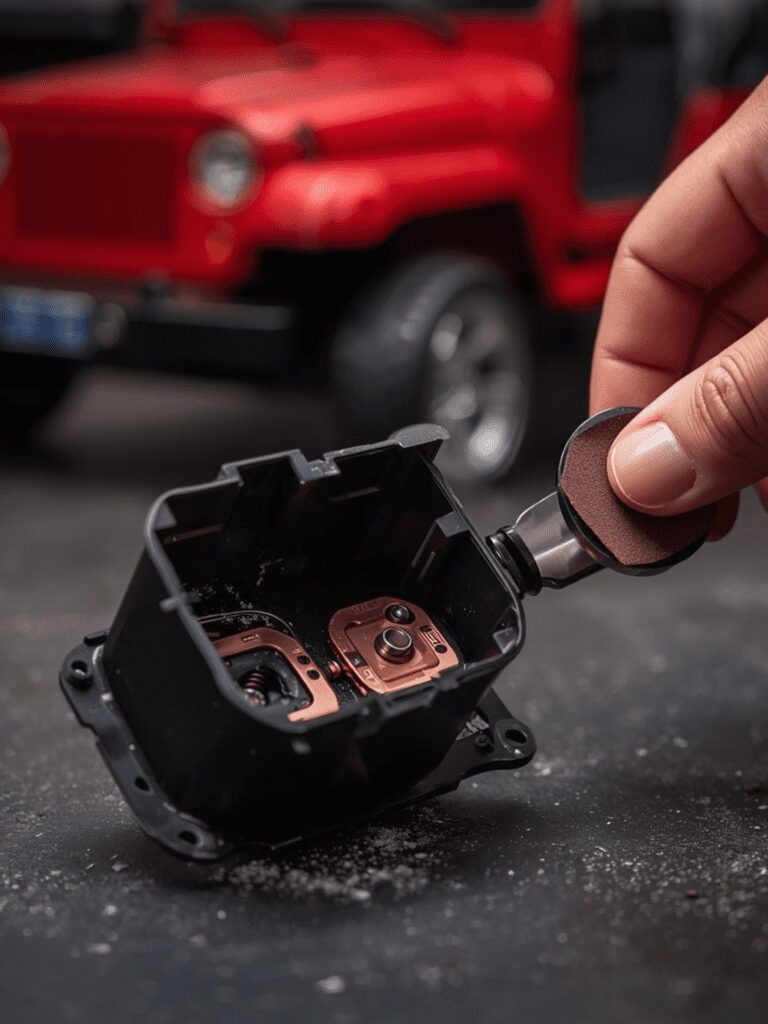
You need to break up the hard layer of dust at the bottom without damaging the delicate pins.
Tools Needed:
-
A wooden toothpick (or a plastic dental pick).
-
A flashlight.
The Process:
-
Shave it Thin: If the toothpick is too thick, use a knife to whittle it down to a thin, flat spatula shape.
-
Insert & Scrape:
-
For USB-C: Insert the pick gently around the central tongue. Do not pry the tongue itself! Scrape the bottom of the oval ring.
-
For iPhone (Lightning): Scrape the very bottom of the hole.
-
-
The “Dig”: You will be shocked. You will likely pull out a thick, grey felt-like clump of lint.
-
Repeat: Keep digging until you feel the hard metal / plastic bottom of the port, not “mush.”
Fix 2: The “Micro-USB” Teeth Trick (Old Androids)
If you have an older Android (trapezoid shape port) and the cable falls out, the problem is usually the Cable, not the phone.
The Physics: Micro-USB cables rely on two tiny metal “Teeth” (hooks) on the bottom of the plug to latch onto your phone. Over time, these teeth get pushed flat.
-
Look at your Micro-USB cable tip.
-
Find the two tiny triangles on the flat side.
-
Use a needle to gently pry them up so they stick out more.
-
Test: Plug it in. It should now snap in tightly.
Fix 3: The “Canned Air” Finish
After digging with the toothpick, there will be loose dust.
-
Do NOT blow with your mouth. Your breath contains moisture/spit which causes corrosion on copper pins.
-
Use Compressed Air: Give it one quick blast to clear the debris.
-
Use Isopropyl Alcohol: Put a tiny drop on an old toothbrush and scrub the port to clean the electrical contacts.
When is it actually broken?
If you have cleaned the port perfectly (you can see the bottom metal) and the cable still wiggles side-to-side loosely, the Internal Solder Joints have broken off the motherboard.
-
Symptom: The phone only charges if you bend the cable up or down and hold it there.
-
Solution: This requires a technician to resolder the port.