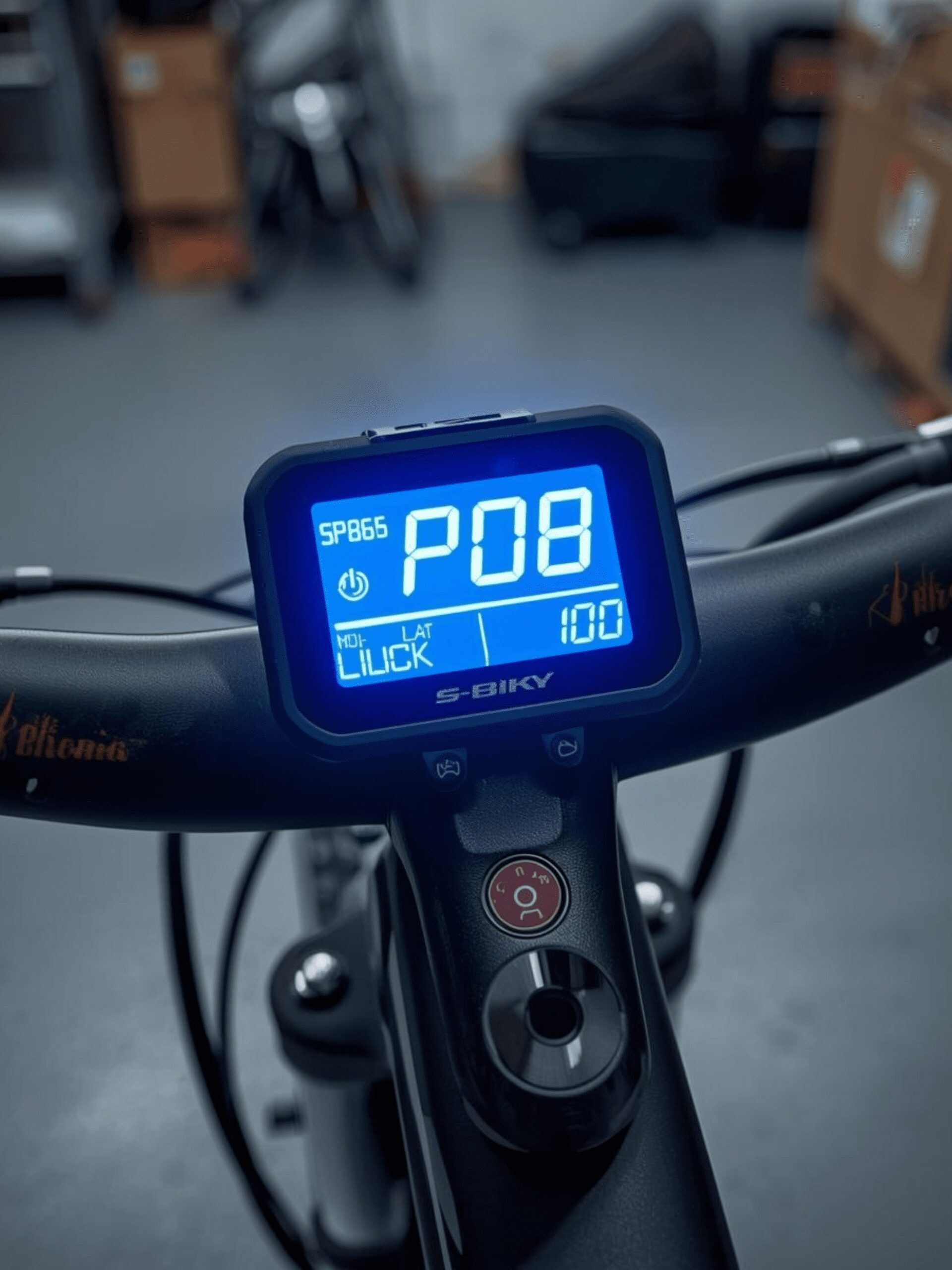
S866 LCD Display Manual: Complete P-Settings & Error Code Guide
“Lost your manual? Can’t understand the broken English instructions? Here is the clear, corrected English guide to every setting on your S866 E-Bike Display.”
The “Meat” (The Tables): You will provide 2 clean tables that users will screenshot and save.
-
The P-Settings Table: Explaining exactly what
P08(Speed Limit) andP10(Drive Mode) actually do. -
The Error Code Table: Defining what
E07(Motor Failure) means.
You bought a DIY E-Bike kit or a replacement controller. It came with the famous S866 LCD Display. You threw away the tiny paper manual.
Now you need to change the speed limit, but you don’t know which “P-Setting” controls it.
The S866 is the most popular generic display for e-bikes and scooters, but its documentation is terrible. Below is the full, translated, and explained guide to programming your display.
“Need a new controller for your Jetson? Read our [Jetson Bolt Pro Upgrade Guide] to see how to install this display.”
How to Enter the Settings Menu
-
Turn on the Display: Hold the Power button.
-
Enter Menu: Press and Hold the UP (+) and DOWN (-) buttons together for 2 seconds.
-
Navigate: Press Power to switch between settings (P01 -> P02).
-
Change Value: Press UP or DOWN to change the numbers.
-
Save & Exit: Hold UP and DOWN again for 2 seconds.
The P-Settings Cheat Sheet (The “Secret” Menu)
Note: Do not change P03, P06, or P07 unless you are sure. Wrong values here will make your speedometer inaccurate.
| Setting | Description | Recommended Value |
| P01 | Backlight Brightness (1=Dark, 3=Bright) | 3 |
| P02 | Unit (0=KM, 1=Miles) | 1 (For USA) |
| P03 | Voltage Class (24V, 36V, 48V) | Set to match your Battery |
| P04 | Sleep Timer (Minutes, 0=Never) | 10 |
| P05 | Pedal Assist Levels (0=3 gears, 1=5 gears) | 1 |
| P06 | Wheel Diameter (Inches) | Set to match Tire Size |
| P07 | Speed Magnet Number (Advanced) | Default (usually 47 or 86) |
| P08 | Speed Limit (0-100 km/h) | 100 (Removes Limit) |
| P09 | Zero Start (0=Instant, 1=Must Pedal First) | 0 (Instant Throttle) |
| P10 | Drive Mode (0=PAS only, 1=Throttle only, 2=Both) | 2 (Best for most riders) |
| P11 | PAS Sensitivity (1-24) | 3 |
| P12 | PAS Start Strength (0-5) | 3 |
| P13 | PAS Magnet Type (5, 8, 12) | Default (Usually 5 or 8) |
| P14 | Controller Current Limit (Amps) | Do Not Change |
| P15 | Undervoltage Cutoff | Do Not Change |
| P16 | Odometer Reset | Hold UP Key for 5s to Clear |
S866 Error Codes (Troubleshooting)
If your screen is showing an “E” code with a red wrench icon, here is what is broken.
| Error Code | Meaning | How to Fix |
| E06 | Battery Undervoltage | Charge your battery immediately. |
| E07 | Motor Failure | Check the thick Yellow/Green/Blue motor phase wires. |
| E08 | Throttle Failure | The throttle is unplugged or broken. Check the connector. |
| E09 | Controller Failure | The controller is dead or overheated. Needs replacement. |
| E10 | Communication Receive Error | Display cannot “hear” the controller. Check the main cable. |
| E11 | Communication Send Error | Controller cannot “hear” the display. Check wiring. |
Common Questions
Why is my speed incorrect?
You likely have the wrong Wheel Size in P06 or the wrong Magnet Number in P07. Check your tire sidewall (e.g., 26 inch) and ensure P06 matches.
How do I unlock max speed?
Go to setting P08. Increase the value to 100. This tells the controller “No Limit.” Note that your actual top speed still depends on your battery voltage and motor power.
Our Analysis / Expert Opinion
At TechReal Repair, we frequently use the S866 and S886 displays when upgrading DIY e-bikes and scooters. While these panels are versatile, they are also dangerous if configured incorrectly.
The “Voltage Trap” (P03): The most critical setting is P03 (Voltage Class). We have seen users accidentally change this from 48V to 36V hoping to “save battery.”
-
The Reality: This messes up the Low Voltage Cutoff (LVC). If you set this wrong, you will drain your battery below its safe limit, permanently damaging the lithium cells. Never change P03 unless you have installed a new battery pack.
Our Speedometer Fix (P06): If your dashboard says you are going 40km/h, but GPS says 25km/h, your P06 (Wheel Diameter) is wrong.
-
Pro Tip: Don’t just set it to your tire size (e.g., 10 inches). We recommend setting it slightly lower (e.g., 9.8 inches) to account for the tire compressing under your weight. This usually makes the speedometer 99% accurate to GPS.
The “Speed Unlock” Reality (P08): Everyone wants to change P08 to 100 to go faster. While this tells the display to allow max speed, remember that your Motor Controller has a physical limit. If your controller is rated for 25A, changing settings won’t magically give you more power—it will just remove the software cap.