Best Cybersecurity Tools in 2026: A Practical Guide to Protecting Your Data
The cybersecurity software market is saturated with products making overlapping claims about protection, detection, and prevention. For individuals and small organisations trying to build a functional security setup, the challenge is less about finding products and more about understanding which categories of tools address which threats, how they complement each other, and what the realistic capability and cost trade-offs look like.
This guide is organised by security function rather than by product, because the right question is not “which antivirus should I buy” but “what threats am I trying to address and which tools address them most effectively.” For each category, both free and paid options are covered with specific product recommendations grounded in independent testing results and real-world capability.
Password Management: The Security Foundation
Every other security measure you implement is weakened if your accounts use weak or reused passwords. A password manager is the foundational tool from which everything else builds — it generates and stores unique, complex passwords for every account, fills them automatically in browsers and applications, and alerts you when stored credentials appear in breach databases.
Bitwarden is the strongest recommendation for most users at every budget. The free tier covers all core functionality, including unlimited passwords, cross-device sync, and a strong browser extension. The premium tier at $10/year adds hardware key support for two-factor authentication and advanced vault health reports. It is open-source, independently audited, and operated transparently.
1Password is the leading paid option at $2.99/month, offering a polished user experience, travel mode (hiding sensitive vaults when crossing borders), and excellent family sharing features at $4.99/month for five users. The Watchtower feature monitors for breached credentials, weak passwords, and insecure settings across your vault.
Dashlane Premium at $4.99/month includes a built-in VPN and dark web monitoring alongside password management — making it the most functionally complete single-product option, though the bundled VPN is not a substitute for a dedicated VPN service.
Antivirus and Endpoint Protection: Malware Defence
The antivirus category has evolved considerably. Signature-based scanning for known malware is table stakes — every reputable product does it. The meaningful differentiator is behavioural detection, which identifies novel threats based on what they do rather than what they are.
Microsoft Defender Antivirus (Windows 10/11, free) consistently earns top scores from AV-TEST and AV-Comparatives in both detection rate and performance impact. For Windows users, it is the default recommendation. Upgrading to a paid third-party antivirus provides marginal detection improvement at meaningful cost — the free built-in protection is genuinely excellent.
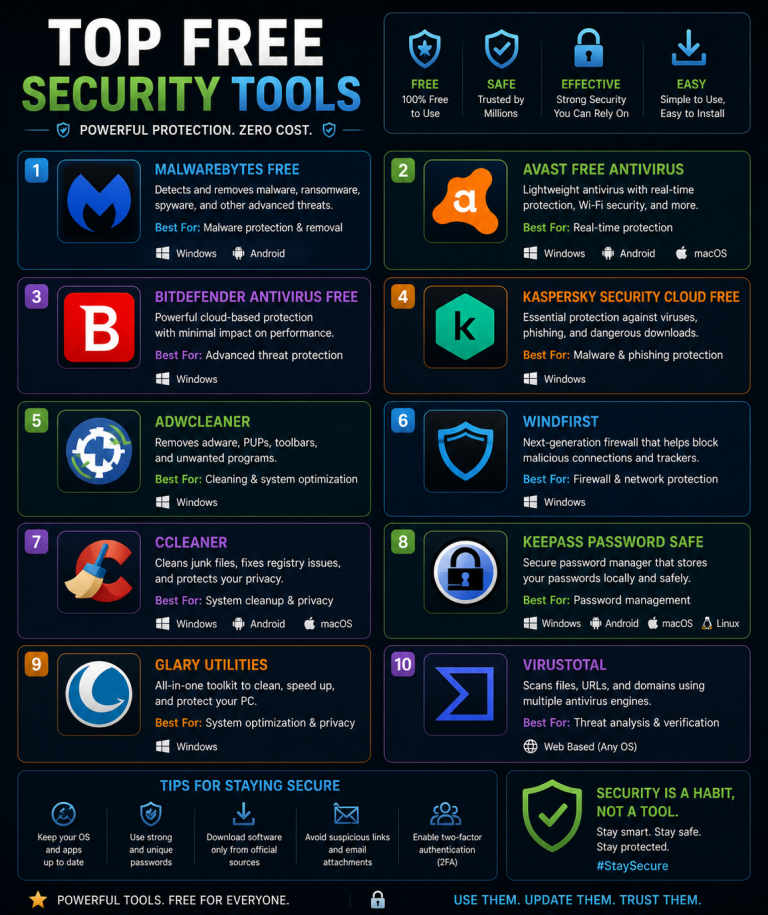
Malwarebytes Premium at $3.75/month is the best supplementary option for users who want real-time protection beyond Defender, particularly for adware, potentially unwanted programmes, and ransomware protection. Its real-time protection layer complements rather than replaces Defender, and the two can run simultaneously without conflicts.
Bitdefender Total Security at approximately $40/year for five devices is the strongest value paid antivirus suite for users who want a single premium product covering Windows, macOS, iOS, and Android. Independent testing organisations have ranked it among the highest detection rate products for multiple consecutive years, and its performance impact on system resources is low.
For macOS users, Malwarebytes for Mac (free scanning tier) combined with keeping macOS and application software current provides solid protection. Apple’s built-in XProtect and Gatekeeper are effective for known threats; Malwarebytes adds detection for adware and Mac-specific threats.
VPN: Encrypting Your Network Traffic
A VPN encrypts the traffic between your device and the internet, preventing interception on untrusted networks, hiding your browsing activity from your ISP, and masking your IP address from websites you visit. The use cases where VPN protection matters most are: public Wi-Fi usage, accessing region-restricted content, and privacy from ISP tracking.
Mullvad VPN at €5/month is the strongest privacy-focused recommendation. It accepts cash and cryptocurrency payment (no account email required), has a strict no-logs policy verified by independent audits, uses RAM-only servers (no persistent data storage), and supports WireGuard — the modern VPN protocol with better performance and stronger security than older alternatives. For users who prioritise genuine anonymity, Mullvad is the industry benchmark.
ProtonVPN at $4/month (or free tier with limitations) is the best option for users who want a trusted VPN from an established privacy-focused company. Proton AG operates ProtonMail and has a strong track record of resisting pressure to compromise user data. The free tier — genuinely no-data-cap and no-logs — is unique in the VPN market and suitable for moderate usage on public networks.
ExpressVPN at $6.67/month offers the best combination of speed, server coverage (105 countries), and ease of use for users who prioritise streaming and performance alongside privacy. It is more focused on convenience and speed than on anonymity — for users whose primary use case is secure browsing and streaming rather than investigative journalism.
Two-Factor Authentication: Hardening Account Access
Two-factor authentication (2FA) adds a second verification step to logins, ensuring that a stolen password alone is insufficient for account access. The security value varies significantly by 2FA method.
SMS-based 2FA is vulnerable to SIM swapping and provides the weakest protection. TOTP authentication apps provide meaningfully stronger protection. Hardware security keys (FIDO2/WebAuthn) provide the strongest available protection and are phishing-resistant.
YubiKey 5 Series (approximately ₹4,000–₹6,000 / $45–$55) hardware security keys from Yubico support FIDO2, U2F, TOTP, and multiple other protocols. A single key works with hundreds of services — Google, Microsoft, Dropbox, GitHub, most banking apps with WebAuthn support, and any service implementing FIDO2 standards. For high-value accounts (email, financial services), hardware key protection is the gold standard.
Aegis Authenticator (Android, free) and Raivo OTP (iOS, free) are the recommended TOTP apps for users who cannot use hardware keys across all their accounts. Both are open-source, support encrypted backup of TOTP secrets, and have been independently reviewed for security.
DNS Security: Blocking Threats Before They Load
DNS security tools intercept domain lookups and block connections to malicious domains — preventing malware from calling home, stopping connections to phishing sites before they load, and reducing exposure to malvertising. DNS-level blocking works for all applications on a device or network, not just the browser, making it a comprehensive network-layer protection.
NextDNS (free for 300,000 queries/month, $19.90/year unlimited) is the most configurable option, offering detailed query logging, extensive custom blocklists, category-based filtering, and parental controls. The free tier is sufficient for individuals with moderate browsing activity.
Cloudflare 1.1.1.1 with Malware Blocking (1.1.1.2) is a zero-configuration free option — simply changing DNS settings to 1.1.1.2 provides basic malware and phishing domain blocking with no account required. Less configurable than NextDNS but requires zero ongoing management.
AdGuard DNS offers both free public servers and a personal plan at €19.99/year with more detailed filtering controls. The free public servers include adware and malware blocking comparable to Cloudflare’s offering.
Encrypted Messaging: Protecting Your Communications
Standard SMS and many popular messaging apps store messages in plaintext on servers and may comply with law enforcement data requests. End-to-end encrypted messaging ensures that only the sender and recipient can read messages — the service provider cannot.
Signal (free, iOS and Android) is the gold standard for encrypted messaging. It uses the Signal Protocol — widely considered the strongest available messaging encryption — and has been independently audited. Signal also supports encrypted voice and video calls, disappearing messages, and does not store message metadata beyond what is technically necessary for delivery.
WhatsApp uses the Signal Protocol for end-to-end encryption of messages in transit, but is owned by Meta and collects significant metadata about usage patterns, contacts, and app behaviour. For users who need encrypted messaging with contacts not on Signal, WhatsApp provides message content protection with reduced metadata privacy.
Telegram is frequently mentioned in discussions of secure messaging but is not end-to-end encrypted by default — only “Secret Chats” use end-to-end encryption. Standard Telegram chats are stored on Telegram’s servers in a format Telegram can access. For genuine privacy, Signal is the correct choice.
Browser Security: The First Line of Defence
Your browser is the primary interface through which most attacks are delivered — phishing pages, malicious downloads, drive-by malware, and tracking scripts all operate through browser interactions.
uBlock Origin (free, all major browsers) blocks advertisements, tracking scripts, and malicious domains with minimal performance impact and maximum transparency. It uses multiple regularly updated blocklists and is the most effective ad/tracking blocker available.
Brave Browser (free) is built on Chromium with aggressive built-in privacy and security features — ad blocking, fingerprinting protection, HTTPS upgrading, and a built-in Tor integration for private browsing. For users who want strong browser-level protection without managing extensions, Brave provides a comprehensive out-of-the-box privacy baseline.
Firefox with uBlock Origin is the strongest combination for users who want an open-source browser with proven extension support. Firefox’s Enhanced Tracking Protection combined with uBlock Origin provides comprehensive coverage against tracking and malicious content delivery.
Putting It Together: Security Stack by Budget
Zero budget: Windows Defender + Bitwarden Free + Aegis/Raivo + Cloudflare 1.1.1.2 DNS + uBlock Origin + ProtonVPN Free + Signal. This covers the primary attack vectors — malware, credential theft, network surveillance, and malicious domain connections — at no cost.
₹500–₹1,500 / $10–$20/year: Bitwarden Premium ($10/year) + NextDNS Personal Plan ($20/year) + Malwarebytes Free for periodic scanning. Adds hardware key support, more configurable DNS filtering, and supplementary malware scanning.
₹3,000–₹6,000 / $40–$80/year: Bitdefender Total Security (~$40/year) + ProtonVPN Plus ($48/year) + Bitwarden Premium + YubiKey hardware key. This is a comprehensive setup with premium protection across all primary threat categories.
The diminishing returns of additional spending above this level are real — the security improvement from spending $200/year versus $80/year on personal cybersecurity tools is marginal compared to the improvement from spending $80/year versus $0/year while applying tools consistently.
This article is for informational purposes. Pricing and product features change frequently — verify current information directly with vendors before purchase. This content does not constitute personalised security advice.