Personal Finance & Wealth Building in 2025: The Professional’s Definitive Playbook
Finance professionals are uniquely positioned to build wealth — and uniquely prone to neglecting their own. The same analytical rigour applied to client portfolios or corporate balance sheets rarely gets turned inward. The result is a profession full of people who understand discounted cash flow modelling but have not maxed out their own tax-advantaged accounts, reviewed their insurance coverage in three years, or built a written financial plan for their household.
This guide is not an introduction to budgeting. It is a practitioner-level framework for personal wealth architecture — covering cash flow engineering, tax-optimised investment structures, behavioural finance, asset protection, estate planning, and the specific wealth traps that finance professionals fall into more often than most. Every section assumes financial literacy. None of it assumes your own financial house is already in order.
The Wealth Architecture Framework: Why Tactics Without Strategy Fail
Most personal finance advice is tactical: max your 401(k), diversify your portfolio, buy term insurance. These are correct instructions delivered without context. A tactic without a strategic framework is a decision without a decision-making process — and isolated good decisions do not compound into wealth the way a coherent system does.
Wealth architecture means designing your financial life as an integrated system with explicit priorities, feedback loops, and failure modes. It answers four questions that tactics alone cannot: What is the wealth-building objective and timeline? What are the primary risks to that objective? In what order should capital be deployed given tax, liquidity, and return trade-offs? What behavioural or structural vulnerabilities exist that could undermine execution?
The Hierarchy of Financial Priorities
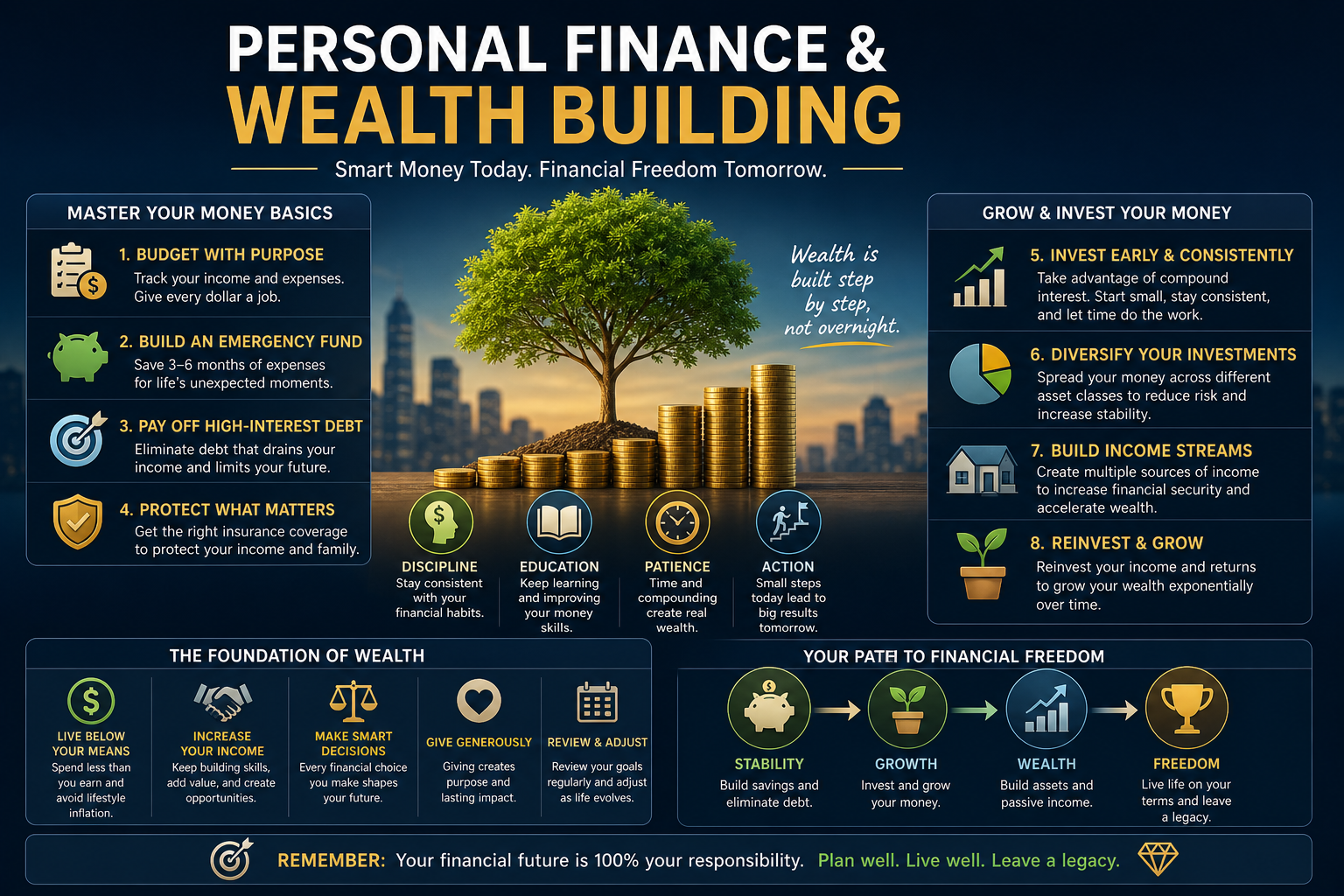
Capital allocation has a correct order, and deviating from it carries real opportunity cost. For most finance professionals in accumulation phase, the hierarchy looks like this:
First, establish a liquidity buffer — three to six months of fixed expenses in a high-yield savings account or money market fund. This is not an investment; it is operational capital that prevents forced liquidation of investment assets during income disruption. In 2025, high-yield savings accounts from institutions like Marcus, Ally, or SoFi are yielding 4.5–5.0% APY, making cash drag on this buffer minimal at current rates.
Second, capture employer matching in workplace retirement plans. A 100% match on the first 4–6% of salary is an instantaneous 100% return on invested capital — no investment strategy in any market condition replicates this. Leaving matching contributions uncaptured is the most straightforward wealth destruction available.
Third, eliminate high-interest consumer debt. Any interest rate above approximately 7% — the rough long-run expected nominal return of a diversified equity portfolio — represents a guaranteed return on capital that no risk-adjusted investment reliably beats. Credit card debt at 22–27% APR is not a debt problem; it is a negative-return investment masquerading as a liability.
Fourth, maximise tax-advantaged account contributions in priority order: HSA (triple tax advantaged — deductible contributions, tax-free growth, tax-free qualified withdrawals), 401(k)/403(b) to the IRS annual limit ($23,000 employee contribution in 2025, $30,500 for those 50+), IRA or Roth IRA ($7,000 limit in 2025, $8,000 for 50+), and taxable brokerage for remaining investable capital.
Fifth, deploy capital in taxable accounts with tax-efficiency as a first-class concern — a point addressed in depth in the investment section below.
This hierarchy is not dogma. Finance professionals with equity compensation, business ownership, real estate holdings, or variable income have more complex allocation decisions. But the hierarchy provides the default priority order that should be deviated from only with explicit, well-reasoned justification — not inertia or complexity avoidance.
Cash Flow Engineering: The Foundation of Every Wealth Plan
Wealth is not primarily a function of income. It is a function of the spread between income and expenditure, and the rate at which that spread is deployed into productive assets. Finance professionals know this intellectually; operationalising it in their own financial lives is a different discipline.
The Cash Flow Statement You Should Run on Yourself
Every finance professional runs income statements and cash flow statements for businesses. Almost none run them for their household with the same rigour. A personal cash flow statement has three components: gross income by source (salary, bonus, equity vesting, rental income, side income), fixed obligations (mortgage/rent, insurance premiums, loan payments, subscriptions), and variable discretionary spending.
The insight comes from categorising expenditure by whether it is wealth-building (mortgage principal, retirement contributions, investment deposits), wealth-neutral (necessary consumption — utilities, groceries, healthcare), or wealth-erosive (high-interest debt payments, lifestyle inflation that exceeds income growth, depreciating assets financed with debt).
Most high-income professionals are surprised by how large the wealth-erosive category is when they measure it honestly. Lifestyle inflation — the tendency for expenditure to expand proportionally with income growth — is the primary mechanism through which high earners fail to accumulate proportional wealth. A household earning $400,000 annually that spends $380,000 is building wealth at the same rate as one earning $80,000 and spending $60,000 — the absolute numbers differ; the wealth accumulation mechanics are identical.
Automating Capital Deployment
The single most effective structural change most professionals can make to their personal finances is automating capital deployment before discretionary spending occurs. Payroll contributions to 401(k) plans operate this way by design — capital is deployed before it reaches the checking account. Replicating this automation for taxable investment contributions (automatic monthly transfers to a brokerage account), HSA contributions, and debt paydown removes the behavioural friction of making active investment decisions every month.
Automation also decouples investment behaviour from market sentiment. Consistent contributions through market volatility — the mechanical implementation of dollar-cost averaging — produce better long-term outcomes than discretionary contributions timed to market conditions, for the simple reason that most investors, including finance professionals, are not reliably skilled at market timing despite believing otherwise.
Income Diversification as a Wealth Strategy
Single-source income is a concentration risk. A salaried finance professional whose entire income derives from one employer is exposed to idiosyncratic risks — layoffs, sector downturns, company-specific events — that diversification across income sources mitigates.
Income diversification strategies appropriate for finance professionals include dividend income from equity portfolios (passive but requires capital accumulation), real estate rental income, consulting or advisory work that leverages existing expertise, content creation or publishing in the finance domain, and equity compensation through employer stock plans. The goal is not to replace primary income but to build income streams that reduce dependency on any single source and continue generating cash flow independently of labour input.
Tax Optimisation: The Highest-ROI Lever in Personal Finance
For high-income finance professionals, tax optimisation — not investment selection — is frequently the highest-ROI financial activity available. The difference in after-tax wealth accumulation between a tax-optimised and a tax-unoptimised portfolio of identical pre-tax assets can exceed 1–2% annually in effective return, which compounds dramatically over decades.
Understanding the Tax Landscape for Finance Professionals
In the United States, the 2025 top marginal federal income tax rate is 37% for ordinary income above $626,350 (married filing jointly). Long-term capital gains and qualified dividends are taxed at a maximum federal rate of 20%, plus the 3.8% Net Investment Income Tax (NIIT) for high earners, for a combined maximum of 23.8% — a 13+ percentage point differential versus ordinary income rates.
This differential is the foundation of most sophisticated personal tax strategy: convert ordinary income to long-term capital gain wherever structurally possible, defer ordinary income recognition to future years where marginal rates may be lower, and harvest capital losses to offset gains in taxable accounts.
In India, the Finance Act 2024 revised the long-term capital gains tax on equity and equity-oriented mutual funds to 12.5% (without indexation) for gains exceeding ₹1.25 lakh annually, and short-term gains on the same to 20%. Debt fund taxation was restructured in 2023, removing indexation benefits and taxing gains as ordinary income — a significant change that altered the relative attractiveness of debt versus equity fund structures for long-term wealth building.
Tax-Advantaged Account Maximisation
The 401(k) and IRA ecosystem offers substantial tax deferral or tax elimination depending on the account type. The Traditional 401(k) provides an immediate tax deduction, tax-deferred growth, and ordinary income taxation on withdrawal. The Roth 401(k) provides no upfront deduction, tax-free growth, and tax-free qualified withdrawal. The decision between traditional and Roth contributions is fundamentally a bet on whether your current marginal tax rate is higher or lower than your expected marginal rate in retirement.
Finance professionals in peak earning years (high current marginal rates) generally benefit more from traditional pre-tax contributions, while those earlier in career or in lower-earning periods benefit more from Roth. The Roth conversion ladder — converting traditional IRA or 401(k) balances to Roth during low-income years, paying tax on the conversion at a lower rate than the original deduction provided — is a sophisticated planning strategy for those with significant pre-tax balances approaching retirement.
The Backdoor Roth IRA is the mechanism through which high-income earners above the Roth IRA income phase-out thresholds ($240,000 MAGI for married filing jointly in 2025) can still access Roth tax treatment: contribute non-deductible funds to a Traditional IRA and immediately convert to Roth. The strategy requires attention to the pro-rata rule if other pre-tax IRA balances exist.
The Health Savings Account is the most tax-efficient vehicle available to American investors: contributions are pre-tax (or deductible), growth is tax-free, and qualified medical withdrawals are tax-free. The triple tax advantage, combined with the ability to invest HSA balances in equity mutual funds, makes the HSA a powerful supplemental retirement account for those who can pay current medical expenses from cash flow and allow the HSA balance to compound invested.
Tax-Loss Harvesting: Turning Losses Into Strategic Assets
Tax-loss harvesting is the practice of selling securities at a loss to realise a capital loss that offsets capital gains elsewhere in the portfolio, reducing current-year tax liability. The proceeds are reinvested in a similar (but not substantially identical — wash-sale rules apply under IRC Section 1091) security to maintain market exposure.
Done systematically in taxable accounts, tax-loss harvesting converts market volatility from a source of investor anxiety into a tax efficiency mechanism. A 1% annual after-tax return improvement from systematic harvesting in a $1 million taxable portfolio is $10,000 per year — compound this over 20 years and the impact on terminal wealth is substantial.
Direct indexing platforms — Fidelity Separately Managed Accounts, Parametric, Wealthfront’s direct indexing — automate tax-loss harvesting at the individual security level, providing more harvesting opportunities than ETF-level strategies. These become economically meaningful at taxable account balances above approximately $250,000.
Business Structure and Pass-Through Optimisation
Finance professionals who operate any form of consulting, advisory, or business activity should evaluate whether doing so through an S-Corporation or LLC with S-Corp election is more tax-efficient than operating as a sole proprietor. The S-Corp structure allows the owner to split income between a reasonable salary (subject to payroll taxes) and a distribution (not subject to self-employment tax of 15.3% on the first $176,100 of income in 2025), generating material FICA savings at higher income levels.
The Qualified Business Income (QBI) deduction under IRC Section 199A allows eligible pass-through business owners to deduct up to 20% of qualified business income from federal taxable income — with limitations and phase-outs for specified service trades or businesses (SSTBs) including financial services above certain income thresholds. The interaction between W-2 wages, QBI, SSTB status, and the deduction phase-outs requires professional tax analysis but can represent a significant annual tax benefit for those who qualify.
Investment Strategy: Building a Portfolio That Compounds
Investment strategy for personal wealth has fewer moving parts than institutional investment management, and the evidence on what produces superior long-term outcomes is more settled than the financial media implies.
Factor Investing and the Evidence Base
The academic evidence on equity market returns is robust: broad market exposure (the equity risk premium), value tilt (cheap stocks outperform expensive stocks over long periods), size tilt (small caps outperform large caps over long periods), and profitability/quality factors all have documented return premia with economic rationales that suggest persistence. The Fama-French five-factor model and subsequent extensions provide the theoretical framework; decades of out-of-sample performance data provide empirical support.
For individual investors, factor exposure is efficiently captured through low-cost index funds with factor tilts: Vanguard Value ETF (VTV), iShares MSCI USA Value Factor ETF (VLUE), Avantis U.S. Small Cap Value ETF (AVUV), and equivalents for international exposure. The critical discipline is that factor premiums are cyclical — value underperformed growth for over a decade before its reversal in 2022 — and require the behavioural commitment to hold through prolonged underperformance relative to the broader market.
Asset Allocation and the Risk-Return Continuum
Asset allocation — the distribution of capital across equities, fixed income, real assets, and alternative investments — explains the vast majority of portfolio return variability over time, far more than individual security selection. A finance professional’s optimal asset allocation depends on investment horizon, human capital characteristics (stable salary income is economically similar to a bond; variable equity-linked compensation is economically similar to additional equity exposure), liability structure, and genuine risk tolerance — not stated tolerance, which consistently exceeds revealed tolerance during market drawdowns.
For long-horizon accumulators (20+ years to retirement), an equity-heavy allocation (80–100% global equities) is supported by both historical return data and the mathematical reality that human capital provides significant bond-like stability in most professional contexts. As the investment horizon shortens and human capital depletes, the rationale for shifting toward fixed income strengthens — not as a defensive posture driven by market conditions, but as a structural rebalancing of total wealth (human capital plus financial capital) risk.
International Diversification: The Home Bias Problem
American investors hold approximately 75–80% of their equity portfolios in US stocks, despite the US representing roughly 60% of global market capitalisation. This home bias is partly rational (currency risk, familiarity) and partly behavioural (availability bias, recency bias from US equity outperformance over the past 15 years). The case for meaningful international diversification — developed markets ex-US, emerging markets — is grounded in valuation differentials (international equities trade at significantly lower CAPE ratios than US equities as of 2025), lower correlation during certain market regimes, and the mathematical properties of diversification.
A broadly diversified global equity portfolio — Vanguard Total World Stock ETF (VT), or a combination of VTI (US total market) and VXUS (international) at a ratio reflecting global market weights — provides robust diversification without requiring active market calls about relative regional performance.
Alternative Assets: When They Add Value and When They Don’t
Alternative investments — private equity, venture capital, hedge funds, commodities, real estate, infrastructure — are widely marketed to high-income professionals as a path to superior returns. The evidence is mixed and the access barriers for retail investors mean that most alternative investment products available to non-institutional investors capture the illiquidity and complexity costs of alternatives without capturing the return premium that institutional access provides.
Direct real estate investment — owning rental properties with positive cash flow after financing, taxes, insurance, and maintenance — is the alternative asset class with the clearest evidence of wealth creation for individual investors, supported by leverage, tax benefits (depreciation, 1031 exchanges), and the ability to add value through management and capital improvement. The operational intensity of direct real estate is material and should be treated as a business, not a passive investment.
REITs (Real Estate Investment Trusts) — VNQ, O, AMT — provide liquid, diversified real estate exposure without operational involvement, at the cost of direct control, leverage optimisation, and some tax benefits. They belong in tax-advantaged accounts where dividend distributions are sheltered from current taxation.
Behavioural Finance: The Internal Risks to Your Wealth Plan
Finance professionals understand behavioural finance academically. They remain as susceptible to the biases it describes as any other investor. The research is unambiguous on this point: professional credentials and financial sophistication do not immunise against cognitive bias — they sometimes amplify overconfidence in one’s ability to overcome it.
The Biases That Destroy Professional Portfolios
Overconfidence is the most documented bias among finance professionals. The illusion of knowledge — believing that superior domain expertise translates to superior investment returns — leads to concentrated positions, excessive trading, and deviation from evidence-based strategies in favour of personal conviction. A 2023 study in the Journal of Financial Economics found that financial professionals who traded their own accounts most actively earned the lowest net returns, consistent with earlier research by Barber and Odean on individual investor overtrading.
Recency bias causes investors to over-weight recent performance in forward-looking expectations. After a prolonged bull market in US growth equities, investors allocate away from value and international equities — precisely when the valuation differential most favours those asset classes. After a sharp drawdown, investors reduce equity exposure — often near or at market bottoms — and miss the recovery.
Loss aversion — the documented human tendency to feel losses approximately 2.5 times as acutely as equivalent gains — causes investors to sell declining assets too quickly (crystallising losses) and hold appreciating assets too long (anchoring to entry prices rather than forward-looking value). In portfolio construction terms, loss aversion distorts the risk-return trade-off calculation away from rational expected value maximisation.
Building Structural Defences Against Behavioural Risk
The most effective defence against behavioural finance failures is structural: an Investment Policy Statement (IPS) that documents your target asset allocation, rebalancing rules, contribution schedule, and the conditions under which you will deviate from the plan — which, for most investors, should be a very short list. The IPS is written during a calm market environment and consulted during periods of market stress, when the emotional impulse to act is highest and the analytical basis for action is weakest.
Automation of contributions and rebalancing reduces the number of active decisions that must be made under market stress. A quarterly or annual mechanical rebalancing rule — selling assets above target allocation weights and buying those below — enforces the discipline of buying low and selling high that investors consistently fail to implement on a discretionary basis.
Reducing consumption of financial news and market commentary reduces the input signal that drives emotional reactions. No credible evidence exists that monitoring market news on a daily basis improves investment outcomes for long-term investors. Substantial evidence suggests it worsens them by increasing trading frequency and sensitivity to short-term volatility.
Asset Protection: Preserving What You Build
Wealth accumulation is only half of the financial planning equation. The structural protections that prevent a single adverse event — a lawsuit, a disability, a premature death, a long-term care need — from erasing decades of accumulation are as important as the accumulation strategy itself.
Insurance Architecture for High-Income Professionals
Disability insurance is the most under-held and most important insurance product for working-age finance professionals. The probability of a long-term disability event (90 days or longer) before age 65 is significantly higher than most people intuit — approximately 25% according to Social Security Administration data. Own-occupation disability insurance — which pays if you cannot perform your specific occupational duties, not just if you cannot work at all — is the appropriate standard for professionals with specialised skills. Coverage should replace 60–70% of pre-disability income.
Life insurance need is determined by the present value of the financial obligations that would fall on survivors in the event of the insured’s death: income replacement for dependents, mortgage payoff, education funding, and estate liquidity. Term life insurance — pure death benefit coverage for a defined period at fixed premiums — is appropriate for most working-age professionals with dependents. Permanent life insurance products (whole life, universal life, variable universal life) serve specific estate planning and tax planning purposes for high-net-worth individuals but are frequently mis-sold as investment vehicles, generating high commissions at the cost of poor risk-adjusted returns for the policyholder.
Liability umbrella insurance extends liability coverage beyond the limits of homeowners and auto policies, providing an additional $1–5 million of protection against claims arising from accidents, injuries on your property, and certain personal liability exposures. At a cost of approximately $200–400 per year for $1 million of coverage, umbrella insurance is among the highest-value insurance products available relative to premium paid.
Errors and Omissions (E&O) / Professional Liability insurance is essential for any finance professional who provides advice in a professional capacity, whether as a registered investment advisor, financial planner, or consultant. A single claim — even a frivolous one — can impose significant legal defence costs that E&O coverage addresses.
Legal Structures for Asset Protection
High-income and high-net-worth professionals face meaningful asset protection risks from professional liability claims, business disputes, and personal liability events. Several legal structures provide protection beyond insurance.
Retirement accounts — 401(k)s, IRAs up to $1,512,350 in federal bankruptcy protection (adjusted periodically), and certain pension structures — have strong statutory protections from creditors under ERISA and state law. Maximising contributions to these accounts has an asset protection dimension beyond the tax and investment benefits.
Domestic Asset Protection Trusts (DAPTs) — available in states including Nevada, Delaware, and South Dakota — allow the grantor to be a discretionary beneficiary of an irrevocable trust while potentially protecting assets from future creditors after a seasoning period. These are sophisticated planning vehicles that require experienced legal counsel and careful attention to fraudulent transfer laws.
Business entities — LLCs and corporations — provide liability separation between business activities and personal assets. A finance professional operating any business activity, owning rental real estate, or managing investments for others should structure those activities in appropriate legal entities with sound operating agreements and genuine separation of personal and business finances.
Estate Planning: The Wealth Transfer Architecture
Estate planning is the final dimension of wealth architecture and the one most consistently deferred until it is too late to optimise. For finance professionals, the estate planning opportunities are substantial — and the cost of inaction is measured in unnecessary estate taxes, probate expenses, family conflict, and wealth transfer to unintended beneficiaries.
The Core Documents Every Professional Needs
A will directs the distribution of your probate estate and, critically, names guardians for minor children. The absence of a will — dying intestate — means state law determines distribution, which rarely reflects the decedent’s actual wishes and generates unnecessary legal costs and delays.
A revocable living trust allows assets transferred into the trust to pass to beneficiaries outside of probate — faster, privately, and with lower administrative cost than will-based transfer. For professionals with significant assets across multiple states, a living trust eliminates the need for ancillary probate in each state where real property is held.
Durable powers of attorney (financial and healthcare) designate agents who can act on your behalf in financial and medical matters if you become incapacitated. Without these documents, family members must petition a court for guardianship or conservatorship — an expensive, time-consuming process at exactly the moment when speed and simplicity matter most.
Beneficiary designations on retirement accounts, life insurance policies, and annuities supersede will provisions — these assets pass directly to named beneficiaries outside of probate. Outdated beneficiary designations — naming a former spouse, a deceased parent, or leaving designations blank — are among the most common and most damaging estate planning failures. A review of all beneficiary designations should be conducted annually or after any major life event.
Estate Tax Planning Strategies
The federal estate and gift tax exemption is $13.61 million per individual ($27.22 million per married couple) in 2025 under the Tax Cuts and Jobs Act provisions, but is scheduled to sunset to approximately $7 million per individual (inflation-adjusted) at the end of 2025 absent congressional action. This creates a planning urgency for individuals with estates approaching or exceeding the post-sunset threshold.
The annual gift tax exclusion ($18,000 per recipient in 2025) allows tax-free wealth transfer to any number of individuals without using the lifetime exemption. A married couple with multiple adult children and grandchildren can transfer meaningful wealth annually through systematic gifting programmes.
Irrevocable Life Insurance Trusts (ILITs), Grantor Retained Annuity Trusts (GRATs), Spousal Lifetime Access Trusts (SLATs), and Qualified Personal Residence Trusts (QPRTs) are advanced estate planning vehicles that allow high-net-worth individuals to transfer wealth to heirs at reduced gift and estate tax cost. Each involves irrevocable commitments, complexity, and meaningful legal fees — but for estates that would otherwise face estate tax, the economics typically justify the investment.
The Scarcity Traps Finance Professionals Fall Into
Professional knowledge of finance does not prevent specific wealth-destroying patterns that recur across high-earning professionals. Identifying them by name is the first step to avoiding them.
The complexity trap — believing that sophisticated financial strategies are superior to simple ones — leads professionals to favour complex investment products, tax structures, and financial arrangements that generate fees, introduce operational risk, and underperform simpler alternatives. The evidence on investment strategy is clear: low-cost, broadly diversified, tax-efficient index investing outperforms most active strategies net of fees over long periods. Complexity should be adopted only when it solves a specific, quantifiable problem that simpler strategies cannot.
The deferred life plan — working at maximum intensity with the intention of living life after some future financial milestone — is a wealth strategy that optimises for a future that statistically may not arrive as planned. Health, relationships, and time have real economic value. A financial plan that does not account for consumption utility at different life stages is incomplete.
The illiquidity overcommitment trap — investing heavily in illiquid assets (private equity funds, real estate, private credit) in pursuit of illiquidity premiums — leaves professionals without liquid capital during income disruptions or opportunistic investment periods. Illiquid investments belong in a portfolio; they should not constitute the majority of it.
The income identity trap — defining financial security by income level rather than net worth or cash flow independence — leads to lifestyle inflation that prevents wealth accumulation regardless of income growth. The goal of a wealth plan is financial independence: the point at which passive income from assets covers living expenses without requiring labour income. An income of $500,000 that produces zero net savings moves no closer to that goal than an income of $100,000 that does the same.
Building Your Written Financial Plan
A written financial plan is not a document produced by a financial advisor and filed in a drawer. It is a living document that articulates your current financial position, your goals with explicit timelines and capital requirements, your strategy for achieving them, the risks to that strategy, and the metrics by which you will measure progress.
For finance professionals, the plan should be built on a personal balance sheet (assets and liabilities with current market values), a personal income statement (annual cash flows), a net worth trajectory model (projected path to financial independence), tax optimisation analysis, insurance coverage review, and estate planning status.
Review the plan annually against actual progress, update assumptions when life circumstances change, and consult a fee-only fiduciary financial advisor — one who is compensated by client fees rather than product commissions — for objective review and planning that falls outside your area of specialisation. Even professionals who could technically do their own financial planning benefit from the accountability and objectivity that external advice provides.
This article is written for informational and educational purposes. It does not constitute personalised financial, tax, legal, or investment advice. Tax laws, contribution limits, and financial regulations change frequently. Always consult a qualified Certified Financial Planner (CFP), CPA, and/or attorney before making significant financial decisions.